Introduction to DevOps for Beginners: Lifecycle, Tools and CI/CD
A software project can work perfectly on your laptop and still fail the moment another person tries to install or deploy it.
A dependency may be missing. The database configuration may be different. One team member may overwrite another person’s code. A last-minute update may break a feature that worked yesterday.
DevOps helps prevent these problems by connecting software development, testing, deployment and operations through collaboration, automation and continuous feedback.
This introduction to DevOps for beginners explains the lifecycle, principles, tools and learning path in straightforward language. You will also build a simple continuous-integration workflow that can be applied to a web application or student project.
Quick Answer: What Is DevOps?
DevOps is a culture and collection of practices that bring software development and IT operations together.
Instead of treating coding, testing, deployment and maintenance as isolated activities, DevOps connects them in one repeatable software-delivery workflow. Teams use version control, automated testing, CI/CD, containers, monitoring and shared responsibility to release software more reliably.
AWS describes DevOps as a combination of cultural philosophies, practices and tools that increases an organization’s ability to deliver applications at higher velocity. Ops is therefore not a single tool, certification or job title. It is a way of planning, building, delivering and improving software.
Why DevOps Matters
Traditional software projects often contain separate handoffs:
- Developers write the application.
- Testers check it near the end.
- Another person deploys it.
- An operations team handles failures.
Each handoff can create delay, confusion and missing information.
DevOps replaces these isolated handoffs with shared ownership. Developers consider testing and deployment while writing code. Operations requirements are considered during planning. Automated workflows give everyone rapid feedback when a change fails.
The main benefits include:
- Smaller and more manageable releases
- Faster identification of defects
- Consistent development and deployment environments
- Better collaboration between team members
- Easier rollback when a release fails
- Clearer records of who changed what and why
- More reliable demonstrations and production releases
For students, this can mean replacing ZIP-file exchanges and last-minute integration with Git branches, pull requests, automated tests and a repeatable deployment process.
Five Core DevOps Principles
1. Collaboration
Development, testing, security and operations should not work as isolated groups. Everyone shares responsibility for delivering a working application.
2. Automation
Repetitive processes such as building, testing and deployment should be automated where practical. Automation reduces manual error and provides consistent results.
3. Continuous feedback
Teams should receive feedback from code reviews, tests, deployments, logs and users as early as possible.
4. Small, reversible changes
Smaller changes are easier to review, test, deploy and reverse than large releases containing weeks of work.
5. Continuous improvement
A pipeline is not finished merely because it works once. Teams review failures, delays and repeated manual tasks to improve the process over time.
Understanding the DevOps Lifecycle
|
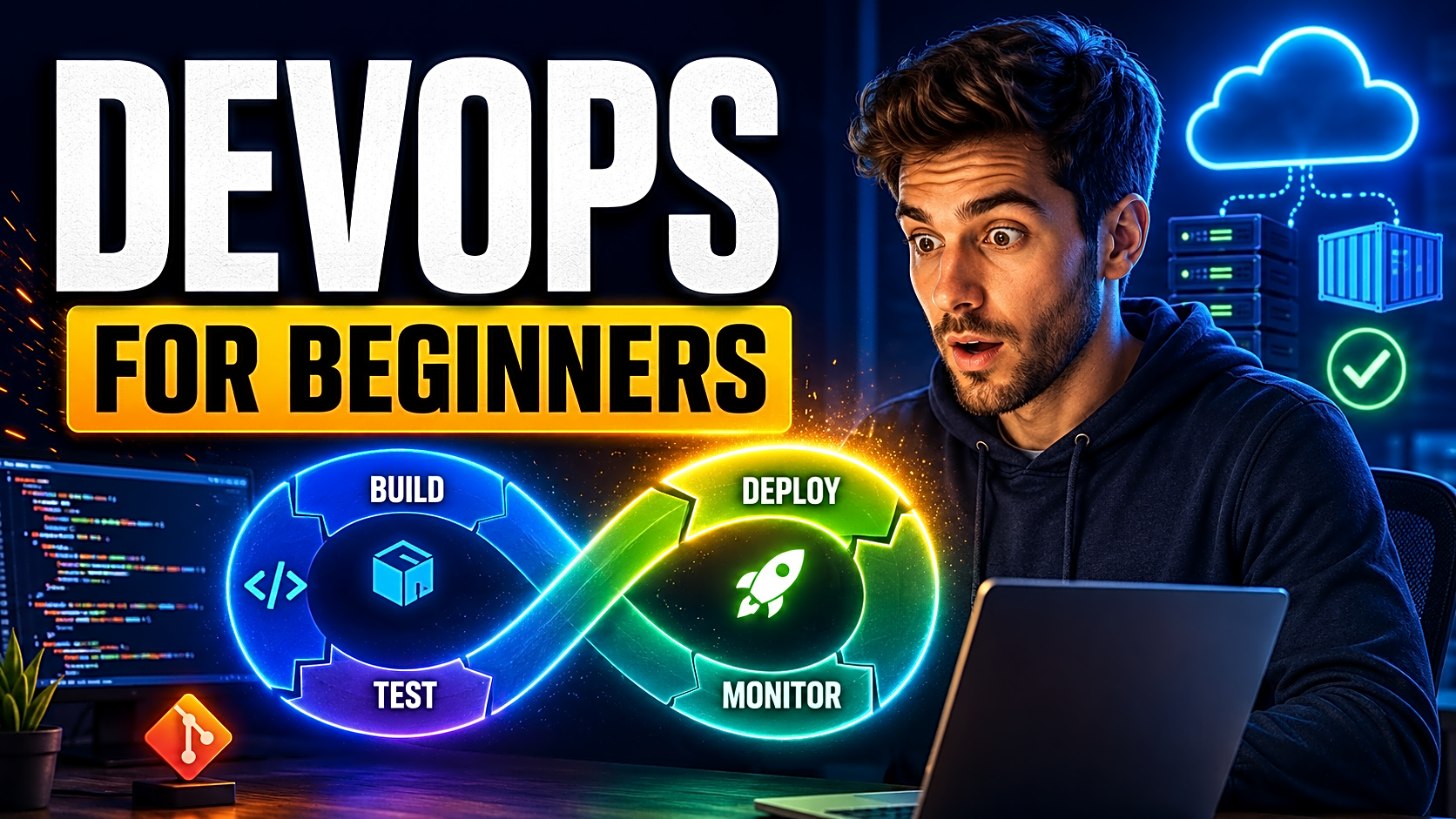
The DevOps lifecycle is usually represented as a continuous loop. IBM describes eight commonly used stages: plan, code, build, test, release, deploy, operate and monitor. tage |
Main Activity |
Beginner Example |
|
Plan |
Define requirements and tasks |
Create issues for login, reports and notifications |
|
Code |
Develop and review features |
Use Git branches and pull requests |
|
Build |
Prepare the runnable application |
Install dependencies and compile assets |
|
Test |
Verify quality and functionality |
Run unit and integration tests |
|
Release |
Approve a stable version |
Create a version tag and release notes |
|
Deploy |
Publish the application |
Move the approved version to a server |
|
Operate |
Keep the system available |
Manage configuration, backups and access |
|
Monitor |
Observe behaviour and failures |
Review logs, health checks and response times |
Monitoring produces feedback for the next planning cycle. That is why DevOps is a loop rather than a one-time sequence.
CI vs Continuous Delivery vs Continuous Deployment
These terms are related but not interchangeable.
|
Practice |
Beginner Meaning |
Typical Result |
|
Continuous integration |
Automatically build and test code changes |
The team knows whether a change is safe to merge |
|
Continuous delivery |
Keep tested code ready for release |
A person can approve deployment at any time |
|
Continuous deployment |
Automatically deploy every approved change |
Successful changes reach users without manual release approval |
A beginner should implement continuous integration first. Automated deployment should be added only after the project has reliable tests and a safe recovery process.
Important DevOps Practices and Tools
|
Practice |
Purpose |
Common Tools |
|
Version control |
Track and review changes |
Git, GitHub, GitLab |
|
CI/CD |
Build, test and deliver changes |
GitHub Actions, Jenkins, GitLab CI/CD |
|
Containerization |
Package software consistently |
Docker |
|
Infrastructure as Code |
Define infrastructure using files |
Terraform, CloudFormation |
|
Configuration management |
Standardize system configuration |
Ansible, Puppet |
|
Monitoring |
Detect failures and performance issues |
Prometheus, Grafana, cloud monitoring |
|
Work management |
Plan tasks and share feedback |
GitHub Issues, Jira, Azure Boards |
Tools support DevOps, but installing multiple tools does not automatically create a DevOps workflow. Begin with one complete process from code commit to tested deployment.
Practical DevOps Example for a Student Project
Consider a food-ordering application built with React, Node.js and MySQL.
A simple workflow could be:
- Create a GitHub issue for a coupon feature.
- Develop it in a separate branch.
- Add tests for valid, expired and invalid coupons.
- Open a pull request.
- Run the build and tests automatically.
- Merge only after the checks pass.
- Build a Docker image.
- Deploy it to a staging environment.
- Test customer, payment and admin workflows.
- Publish the approved version.
- Review logs for failed orders or API errors.
- Roll back if the release causes a critical problem.
This creates traceability from requirement to release. During a viva or technical interview, you can explain the issue, code change, test results, deployment and final output instead of showing only screenshots.
You can first publish your project on GitHub and then follow a structured process to deploy your project online.
DevOps Roadmap for Beginners
|
Weeks |
Learning Focus |
Practical Output |
|
1–2 |
Git, GitHub and Linux basics |
Repository with branches and a clear README |
|
3 |
Automated testing |
Working unit or integration tests |
|
4 |
GitHub Actions or another CI platform |
Automated build-and-test workflow |
|
5 |
Docker fundamentals |
Containerized application |
|
6 |
Cloud and deployment basics |
Working staging deployment |
|
7 |
Secrets, logs and monitoring |
Protected credentials and basic health checks |
|
8 |
Complete pipeline and documentation |
Demonstration-ready DevOps project |
Do not attempt to learn Kubernetes, Terraform, Jenkins and several cloud platforms simultaneously. Build one complete beginner workflow before adding advanced infrastructure.
Implementation Guide: Build Your First CI Pipeline
This example uses Node.js and GitHub Actions.
Step 1: Prepare the project
Your repository should contain:
- package.json
- A dependency lock file
- At least one working test
- A valid npm test command
- A .gitignore file
- A README containing setup instructions
Never commit passwords, API keys, database credentials or a real .env file.
Step 2: Create the workflow
Inside your repository, create:
.github/workflows/ci.yml
Add:
name: Node.js CI
on:
push:
pull_request:
jobs:
build-and-test:
runs-on: ubuntu-latest
steps:
- uses: actions/checkout@v6
- name: Use Node.js
uses: actions/setup-node@v4
with:
node-version: "20.x"
- name: Install dependencies
run: npm ci
- name: Build project
run: npm run build --if-present
- name: Run tests
run: npm test
GitHub Actions can run builds and tests automatically after repository events such as pushes and pull requests. Results can then be reviewed before the change is merged. Step 3: Inspect the workflow result
Push the workflow file and open the repository’s Actions section.
A green result means all configured commands completed successfully. A failed result is useful feedback—not something to hide. Open the logs, identify the failed command and correct either the project or workflow.
Step 4: Add deployment later
Do not connect automatic production deployment until:
- The build is reproducible
- Tests detect meaningful failures
- Secrets are protected
- A staging environment works
- A rollback method is documented
Where Docker Fits
Docker packages an application and its required files, libraries and configuration into a container image. Docker documentation defines an image as a standardized package containing what is needed to run a container. a beginner pipeline, Docker normally appears after the automated tests:
Code change → Build → Test → Create Docker image → Deploy → Monitor
This helps the same application run more consistently on another laptop, a staging server or a cloud platform.
Learn Docker before Kubernetes. Docker teaches packaging and container fundamentals; Kubernetes introduces orchestration, networking, scaling and additional operational complexity.
DevOps Security and Monitoring Basics
Security should be included throughout the workflow rather than added only before release.
A beginner checklist includes:
- Store credentials as repository or platform secrets
- Keep .env files out of Git
- Review dependency vulnerabilities
- Use least-privilege access
- Validate input and authentication flows
- Avoid exposing database ports publicly
- Record application errors
- Add a simple health-check endpoint
- Back up important data
- Document rollback steps
Monitoring tells you whether the deployed application continues to work. Start with application logs, failed-request records, uptime checks and basic resource monitoring before adopting a complex observability platform.
Common Beginner Mistakes
Learning tools without learning the workflow: Understand the problem a tool solves before memorizing commands.
Starting with Kubernetes: Most beginner applications do not require orchestration.
Automating untested code: A deployment pipeline without meaningful tests can automate failures.
Committing secrets: Use protected secrets and environment variables.
Ignoring failed pipeline runs: A failed workflow is valuable feedback that should be investigated.
Making large commits: Small, clearly named commits are easier to review and reverse.
Frequently Asked Questions
Is coding required for DevOps?
Basic programming or scripting is highly useful. Python, Bash, PowerShell or JavaScript can automate repetitive tasks, but DevOps also requires knowledge of systems, testing, networking and collaboration.
What should I learn before DevOps?
Learn basic programming, Git, command-line navigation, operating-system concepts and how web applications communicate with databases and servers.
Which DevOps tool should a beginner learn first?
Start with Git and GitHub. Then learn automated testing, GitHub Actions or another CI tool, Docker and one deployment platform.
Is DevOps the same as cloud computing?
No. Cloud computing provides infrastructure and managed services. DevOps provides practices for building, testing, delivering and operating software. DevOps can use cloud, on-premises or hybrid infrastructure.
Should I learn Docker or Kubernetes first?
Learn Docker first. Kubernetes should be studied after you understand images, containers, ports, volumes and application configuration.
Is Jenkins compulsory?
No. Jenkins is widely used, but GitHub Actions, GitLab CI/CD, Azure Pipelines and other platforms can provide CI/CD workflows.
Can DevOps be added to an existing project?
Yes. Start by adding version control, tests and CI. Then add containerization, staging deployment, secrets management and monitoring.
How can I demonstrate DevOps in a viva?
Show the repository history, branch workflow, pull request, CI result, test output, container configuration, deployed application, logs and rollback procedure.
Conclusion
DevOps helps turn software development into a reliable, repeatable delivery process.
For beginners, the objective is not to master every tool. Start with one project, place it under Git version control, add meaningful tests, build a CI workflow, package it consistently, deploy it to a test environment and observe what happens after release.
That complete workflow will teach you more than an isolated collection of DevOps commands.
Looking for an application on which to practise Git, testing, CI/CD and deployment? Explore project source code or review final-year project ideas that can be extended with a DevOps pipeline.